












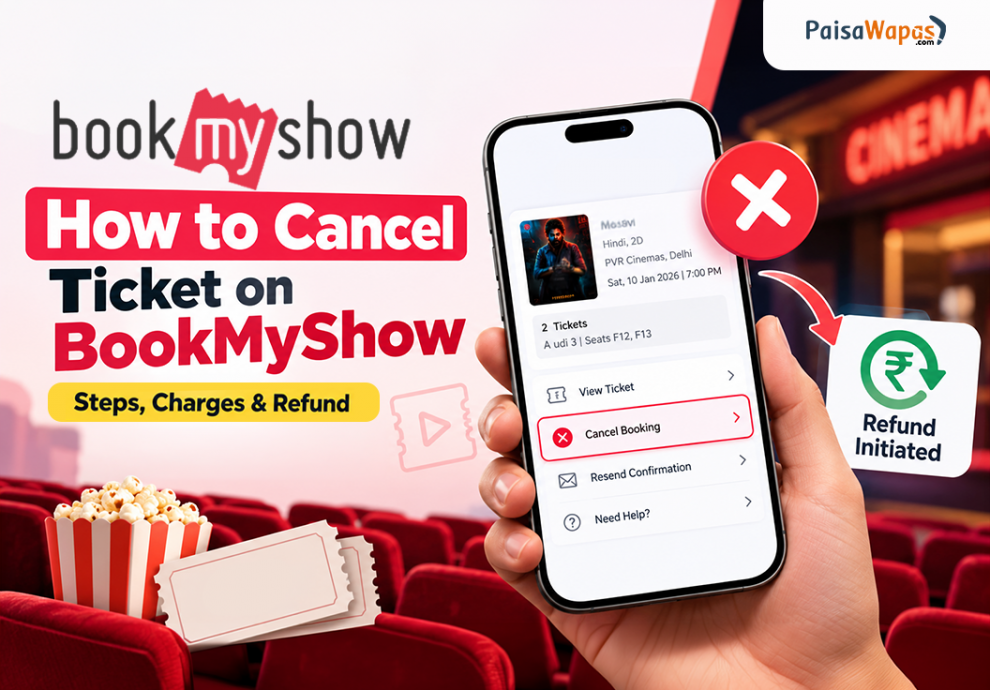

Have you booked a movie ticket on BookMyShow but can no longer attend the show? You may be able to cancel your booking and receive a partial refund, depending on the cinema’s cancellation policy and the conditions attached to your ticket.
In this guide, we explain how to cancel a ticket on BookMyShow in 2026, where to find the cancellation option, how cancellation charges work, and when you can expect your refund.
Quick answer: Open the BookMyShow app or website, sign in using the same account or contact details used for booking, and go to Your Orders. Select your movie booking and check whether the Cancel Booking option is available. Follow the instructions to confirm cancellation and choose an available refund method.
How to Cancel Ticket on BookMyShow in 2026
You can cancel an eligible movie ticket through the BookMyShow app or website. Follow the steps below.
Steps to Cancel a BookMyShow Ticket on the App
- Open the BookMyShow app on your phone.
- Sign in using the email address or mobile number linked to your booking.
- Open your profile and go to Your Orders.
- Select the movie ticket you want to cancel.
- Check whether the Cancel Booking option is available.
- If cancellation is available, select the option and review the applicable cancellation charges and refund amount.
- Choose an available refund method, such as the original payment method or BookMyShow Cash.
- Confirm your cancellation and save the confirmation for reference.
Your booking should show the updated status after the cancellation is processed. Check the order details to confirm that the ticket has been cancelled.

Important: The cancellation option may not appear for every booking. Eligibility depends on the cinema, the cancellation cut-off time, and other booking conditions.
How to Cancel a BookMyShow Ticket Online
If you booked through the BookMyShow website, you can check your booking there as well.
- Visit the official BookMyShow website.
- Sign in using the same account details used to make the booking.
- Open your profile and navigate to Your Orders.
- Select the movie booking you want to cancel.
- Look for the cancellation option.
- Review the refund details and any applicable charges.
- Follow the on-screen instructions to confirm cancellation, if eligible.
If you cannot find the booking, verify that you are signed in with the same email address or mobile number used during checkout.
How to Cancel Order on Domino’s 2026
Can You Cancel a BookMyShow Ticket After Booking?
Yes, some movie tickets can be cancelled after booking, but cancellation is not available for every show.
BookMyShow supports ticket cancellation at participating cinemas. The cinema’s policy determines whether your booking qualifies, the cancellation deadline, and the refund percentage.
According to BookMyShow’s support guidance, the permitted cancellation window can vary by cinema, with some cinemas allowing cancellation between 20 minutes and four hours before the show. Always check your booking confirmation and the cancellation terms displayed for your particular show.
Your ticket may not be eligible if:
- The cinema does not offer cancellation for the booking.
- The cancellation cut-off time has passed.
- You used certain offers or loyalty points.
- The booking has other restrictions, such as a split transaction.
- You have reached an applicable cancellation limit.
Live entertainment tickets generally do not have the same cancellation option as eligible movie tickets. Check the specific event’s terms before assuming you can cancel.
BookMyShow Ticket Cancellation Policy in 2026
The cancellation policy depends on the type of booking and the cinema or event’s terms. Before confirming a ticket purchase, look for the cancellation information shown during booking.
Here are the main things to check:
| Policy detail | What you should know |
|---|---|
| Cancellation eligibility | Only eligible bookings display a cancellation option. |
| Cancellation deadline | The cut-off time varies by cinema and booking. |
| Refund percentage | You may receive only part of the eligible ticket amount. |
| Cancellation charges | A fee or deduction may apply under the relevant policy. |
| Booking or convenience fees | These may be non-refundable. Check the displayed terms. |
| Offers and loyalty points | Some bookings using offers or loyalty points may not qualify. |
| Live entertainment | Cancellation is generally not available for these tickets. |
BookMyShow Ticket Cancellation Charges
BookMyShow does not have one cancellation charge that applies to every movie ticket. The deduction depends on the participating cinema’s policy and the terms shown for your booking.
For example, BookMyShow’s published PVR cancellation guidance describes different refund percentages depending on how long before the show the ticket is cancelled. Other cinemas may follow different rules.
Before confirming cancellation, review the amount that will be refunded and the charges that will be deducted.
How to Check Your Cancellation Charges
- Open Your Orders in the BookMyShow app or website.
- Select the booking you want to cancel.
- Choose the cancellation option if it is available.
- Read the cancellation terms and refund amount displayed on the screen.
- Proceed only after checking the deductions.
Do not assume that the full ticket amount, including convenience fees, will be refunded.
How to Get a Refund After Cancelling a BookMyShow Ticket
If your ticket is eligible for cancellation, BookMyShow provides the refund options available for that booking.
1. Refund to the Original Payment Method
If you choose the original payment method, BookMyShow’s support guidance says the refund should generally reflect within 5–7 working days. Actual credit timing can depend on the payment method and the processing bank.
2. Refund to BookMyShow Cash
If BookMyShow Cash is offered and you select it, the support guidance says the amount is generally credited within up to two hours. BookMyShow Cash is intended for use on the platform, so check its terms and validity before choosing it.
3. Refund to a Gift Voucher
If you used a gift voucher to pay for the booking, the applicable refund may be returned to the same voucher, subject to the relevant terms.
Tip: Check your booking’s refund summary before confirming cancellation. The amount returned may be lower than the total amount you paid because certain fees, discounts, or other components may not be refundable.
What to Do If the BookMyShow Cancellation Option Is Not Available
If you cannot see the Cancel Booking option, try these checks before contacting support.
1. Check your login details
Make sure you are signed in using the same email address or mobile number used to book the ticket.
2. Check the cancellation deadline
The cancellation window may already have closed. Check your confirmation email and the booking’s terms for the permitted cut-off time.
3. Check the cinema’s policy
Some cinemas do not allow cancellation of confirmed tickets. The option may be missing because your booking is not eligible.
4. Check whether an offer or loyalty benefit was used
Certain offers, loyalty points, or split transactions can make a booking ineligible for cancellation.
5. Contact BookMyShow Support
If you still need help, visit the official BookMyShow Support Centre. Open your booking or purchase history and follow the available support options.
Keep your booking ID, registered contact details, and payment information handy. Never share your password, OTP, or full card details with anyone claiming to help with a refund.
Frequently Asked Questions
Q. Can I cancel tickets booked on BookMyShow?
Yes, if your movie booking is eligible and the cinema offers cancellation. Open Your Orders and check whether the cancellation option is available. The cut-off time and refund amount depend on the applicable policy.
Q. How do I cancel a ticket after booking?
Sign in to the BookMyShow app or website using the same details used for booking. Open Your Orders, select the ticket, and follow the cancellation instructions if the option is available.
Q. Can I get a 100% refund when cancelling a BookMyShow ticket?
Not always. Eligible cancellations may receive only a partial refund, and certain fees or charges may not be returned. Check the refund amount displayed before confirming cancellation.
Q. How can I cancel my movie tickets online?
Sign in to the BookMyShow website, open Your Orders, select your booking, and look for the cancellation option. If it is unavailable, check the booking’s cancellation terms or contact official support.
Q. How long does a BookMyShow refund take?
BookMyShow’s support guidance states that refunds to the original payment method generally take 5–7 working days. BookMyShow Cash refunds are generally credited within up to two hours when that option is available. Your booking’s refund terms should be checked for the latest details.
Q. Can I cancel a BookMyShow ticket without logging in?
You should first try signing in with the same email address or mobile number used during booking. If the booking does not appear, check the booking confirmation and contact official BookMyShow Support for help.
Q. Can I cancel a BookMyShow live event ticket?
Live entertainment bookings generally do not offer the same cancellation facility as eligible movie tickets. Check the event’s specific terms and conditions for any available alternative.
Final Words
Cancelling a BookMyShow ticket in 2026 is straightforward when your booking is eligible for cancellation. Open Your Orders, select the movie booking, check for the cancellation option, and review the refund amount before confirming.
Remember that cancellation deadlines, charges, and refund percentages can vary. Always check the latest terms for your particular booking and use the official BookMyShow Support Centre if the cancellation option is unavailable or your refund is delayed.




Add Comment