











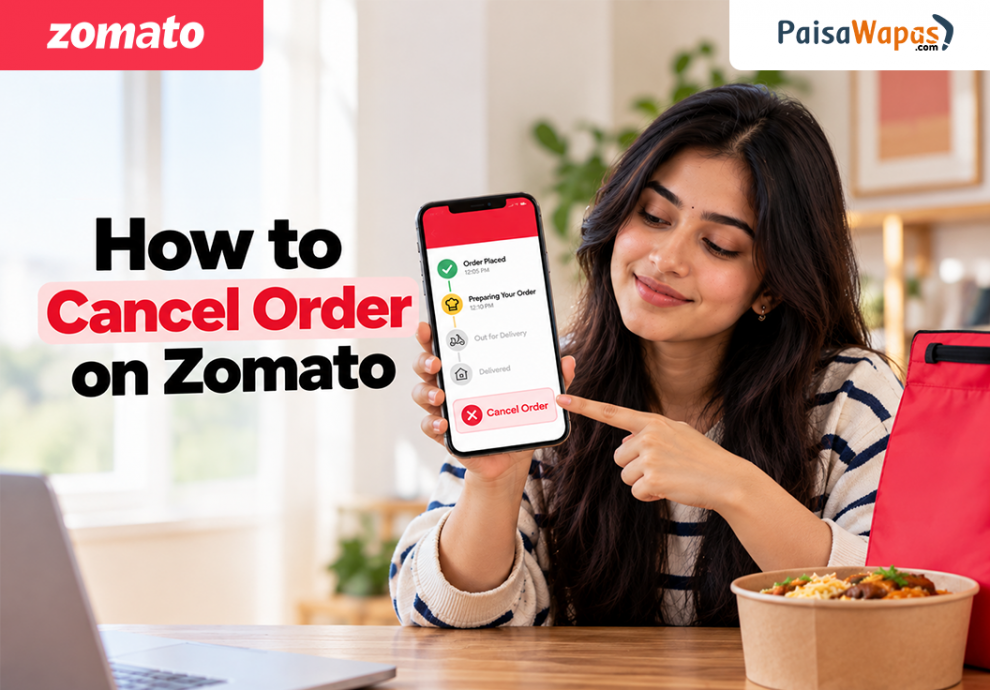

Want to cancel a Zomato order you just placed? You can request cancellation from the active order section in the Zomato app. However, cancellation may not be available for every order, and charges or refunds can depend on the order status and reason for cancellation.
How to Cancel Order on Zomato
To cancel a Zomato order, open your active order and check the available Help or cancellation options. If Zomato allows cancellation, select the reason and confirm the request.
Steps to Cancel a Zomato Order
- Open the Zomato app.
- Open your active order.
- Go to the order details or tracking screen.
- Tap Help/Support or the available cancellation option.
- Select the relevant cancellation reason.
- Follow the instructions shown on the screen.
- Confirm the cancellation if the option is available.
- Check the order status and refund details.
Tip: If you want to cancel an order, do it as soon as possible after placing it. Cancellation can become more difficult once the restaurant starts processing the order, and charges may apply depending on the circumstances. Always check the cancellation details shown in the app before confirming.
Can You Cancel a Zomato Order After Placing It?
Yes, you can request cancellation, but Zomato may not allow cancellation for every order.
Once an order progresses, cancellation can become restricted. Zomato’s current Terms of Service state that customer-initiated cancellation or attempted cancellation can result in liquidated damages attributable to the restaurant, delivery partner, and other concerned parties.

So, check the information shown in the app before confirming cancellation.
Zomato Cancellation Charges and Refund
There is no single cancellation charge that applies to every Zomato order.
If you cancel an order yourself, charges may apply under Zomato’s cancellation terms. If the cancellation is attributable to Zomato, the restaurant, or the delivery partner, Zomato says those liquidated damages won’t apply. Eligible refunds are processed according to the applicable policy.
Your refund may also take time to appear depending on your payment method or bank.
How to Cancel Order on Blinkit
How to Contact Zomato Customer Care
For an active order, the safest option is to use Zomato’s app chat support and the contact details published by Zomato itself.
If you can’t find the cancellation option, use Zomato customer care through the app.
Open the active order, go to Help/Support, and use the available chat support option. Zomato’s current Terms of Service direct customers to in-app chat support for order-related issues and also list [email protected] for order-related grievances.
Is There a Zomato Customer Care Number?
If you’re searching for a Zomato customer care number, Zomato helpline number, or Zomato toll free number, be careful with numbers published on unofficial websites.
How to Cancel a Zomato Train Food Order
Zomato has separate rules for food delivery in train.
For a Zomato railway food order, cancellation is allowed only before 2 hours of the train’s scheduled arrival at the selected station. Zomato’s train-order policy states that an eligible cancellation within this period receives a complete refund of the order value.
This applies to searches such as:
- train delivery
- railway food order
- IRCTC order food
- train online food booking
- online food booking in train
- online food service in train
Zomato Train Order Cancellation
| Zomato Order type | Zomato Cancellation rule |
|---|---|
| Regular Zomato order | Depends on order status and applicable terms |
| Zomato train order | Not allowed within 2 hours of scheduled arrival |
| Eligible train cancellation | Complete order-value refund under the train-order policy |
What If the Cancellation Option Is Not Showing?
If you don’t see a cancellation option:
- Open your active Zomato order.
- Tap Help/Support.
- Choose the issue related to your order.
- Start a chat with Zomato support.
- Tell them you want to cancel the order.
- Ask whether cancellation and a refund are available.
Don’t assume that closing the app or ignoring the order will cancel it.
Key Takeaways
- Open your active order to check whether cancellation is available.
- Zomato may restrict cancellation after an order progresses.
- Customer-initiated cancellation may involve charges.
- Refund eligibility depends on the circumstances and applicable policy.
- Use Zomato’s in-app chat support for order-related problems.
- Zomato train orders have separate cancellation rules.
- Avoid relying on unverified Zomato customer-care or helpline numbers.
Conclusion
To cancel an order on Zomato, open the active order and check the available cancellation or Help/Support options. If cancellation isn’t available, contact Zomato through in-app chat. For train food orders, check the separate cancellation window before requesting a refund.
FAQs
Q. Can I cancel my Zomato order after placing it?
You can request cancellation, but Zomato may not allow it for every order. The availability of cancellation can depend on the order’s status.
Q. Does Zomato charge for cancelling an order?
Customer-initiated cancellation may result in charges under Zomato’s current Terms of Service. The applicable amount depends on the circumstances.
Q. Will I get a refund after cancelling a Zomato order?
Not every cancellation is necessarily refundable. Refund eligibility depends on the applicable cancellation policy and circumstances of the order.
Q. How can I contact Zomato customer care?
For an order-related problem, open the order in the Zomato app and use Help/Support and in-app chat.
Q. Is there a Zomato toll-free number?
Avoid relying on unofficial websites listing Zomato toll-free or helpline numbers. Use Zomato’s official in-app support and contact details.
Q. Can I cancel a Zomato train food order?
Yes, subject to the train-order cancellation window. Zomato says cancellation isn’t permitted within 2 hours of the train’s scheduled arrival at the selected station.
Q. What should I do if I can’t cancel my Zomato order?
Open the order’s Help/Support section and contact Zomato through in-app chat. Ask support whether the order can still be cancelled and whether you’re eligible for a refund.


[…] How to Cancel Order on Zomato in 2026 […]