









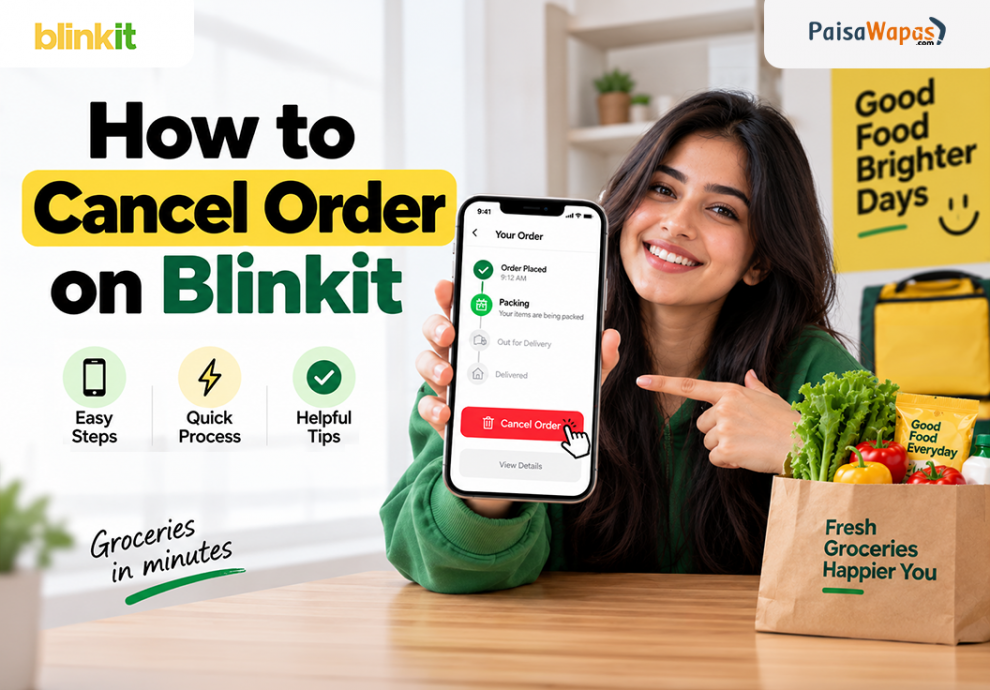

Need to cancel a Blinkit order you just placed? You can usually cancel it directly from the Blinkit app or website, but the option is available only while the order is still in the packing stage. In this guide, we’ll show you how to cancel order on Blinkit, what to do if the cancellation option isn’t showing, and what happens to your refund.
Quick Answer: How to Cancel Order on Blinkit?
To cancel a Blinkit order, open the Blinkit app, go to your active order and open the Order Details page. Tap Need Help, select I want to modify or cancel my order, choose the cancellation reason and confirm. Blinkit currently allows order cancellation through the app or website while the order is still in the packing stage.
How to Cancel Order on Blinkit App
If you have just placed an order and want to cancel it, follow these steps.
Step 1: Open the Blinkit app
Open the Blinkit app on your phone and make sure you’re signed in to the account from which you placed the order.
Step 2: Open your active order
Go to your current or active order and open the Order Details page.

You’ll be able to see the current status of your order here.
Step 3: Tap “Need Help”
Scroll down on the order details page and look for the Need Help option.
Tap it to open the available support options for your order.
Step 4: Select the cancellation option
Look for:
“I want to modify or cancel my order”
Select this option to continue.
Step 5: Choose a cancellation reason
Blinkit may ask you to select why you want to cancel the order.
Choose the option that best matches your situation.
Step 6: Confirm the cancellation
Follow the instructions shown on the screen and confirm your cancellation request.
Once the cancellation is accepted, check the order status to make sure the order has been cancelled.
Blinkit’s current FAQ confirms that cancellation is available from the app or web order details page while the order is in the packing stage.
Can You Cancel a Blinkit Order After Packing?
Blinkit’s official FAQ specifically states that an order can be cancelled while it is still in the packing stage. This means you shouldn’t assume that cancellation will remain available once the order has progressed further.
If you don’t see the cancellation option, check the order status first.
If the order has already moved beyond the stage where cancellation is available, use Blinkit’s Customer Support option in the app or on the web for help with the order.
What to Do If the Cancel Order Option Is Missing?
Sometimes you may open your order and find that the cancellation option isn’t available.
Try these steps:
- Open the order details again and check the current order status.
- Look under Need Help for available options.
- If cancellation isn’t available, contact Blinkit’s Customer Support through the app or website.
- Keep your order details within reach when contacting support.
- Don’t rely on phone numbers found on random websites or social media.
Blinkit currently says users should use the Customer Support section in the app for order-related issues. It also warns that it does not have an official customer-care phone line.
Never share your OTP, UPI PIN, CVV, card number or other banking details with someone claiming to be Blinkit support. Blinkit specifically warns users about such scams.
Can You Cancel a Blinkit Order on the Website?
Yes. Blinkit’s FAQ says cancellation can be done through the app or web from the order details page while the order is still in the packing stage.
So, if you’re using Blinkit on a computer, open the order details and check whether the cancellation option is available.
Will You Get a Refund After Cancelling a Blinkit Order?
Refund eligibility and timing can vary depending on the cancellation circumstances and applicable Blinkit terms.
Blinkit’s terms state that permitted cancellations can result in a refund, subject to the applicable conditions. The exact refund method can also depend on the payment method and circumstances of the cancellation.
For a specific cancelled order, check the order and payment information in Blinkit. If the refund doesn’t appear as expected, contact Blinkit’s Customer Support through the official app or website.
Common Reasons Why You Can’t Cancel a Blinkit Order
| Problem | What it means | What you should do |
|---|---|---|
| Cancel option isn’t visible | The order may have progressed beyond the available cancellation stage | Check the order status and contact support |
| Order is already being processed | Cancellation may no longer be available through the normal option | Use Customer Support |
| App isn’t showing the help option | There could be a temporary app or account issue | Try again or use Blinkit’s web support |
| Cancellation was requested but status hasn’t changed | The request may still need processing | Check the order status and contact support if required |
| Refund isn’t visible | The refund may not yet be reflected | Check the payment details and contact support |
The key point is simple: cancel as early as possible. Blinkit officially identifies the packing stage as the point at which cancellation is available through the app or web.
Tips Before Cancelling a Blinkit Order
A few simple precautions can save you trouble:
- Cancel quickly: Don’t wait if you’re sure you don’t need the order.
- Check the order status: Cancellation availability depends on the order’s stage.
- Save the confirmation: Take a screenshot after cancellation if a confirmation is displayed.
- Keep the order details: They can be useful if you need to contact support.
- Use official support: Access Customer Support through the Blinkit app or website.
- Avoid fake customer-care numbers: Blinkit says it does not have an official customer-care phone line.
- Never share banking credentials: Blinkit says its representatives will not ask for OTPs, CVVs, UPI PINs or card details.
Key Takeaways
- You can cancel a Blinkit order from the app or website.
- The cancellation option is available while the order is in the packing stage.
- In the app, open the order, tap Need Help, and select the option to modify or cancel the order.
- If the cancellation option isn’t available, contact Blinkit’s official Customer Support.
- Don’t trust unofficial Blinkit customer-care numbers.
- Never share your OTP, UPI PIN, CVV or card details with anyone claiming to be Blinkit support.
Conclusion
If you want to cancel an order on Blinkit, act quickly. The easiest method is to open the active order, go to Need Help, select I want to modify or cancel my order, choose a reason and confirm.
The most important thing to remember is that Blinkit currently allows cancellation through the app or web while the order is still in the packing stage. If the option isn’t available, use Blinkit’s official Customer Support rather than relying on unofficial phone numbers.
And before your next online purchase, check PaisaWapas for available cashback and discounts. A quick check before ordering can help you save on purchases you’re already planning to make.
Frequently Asked Questions
Q. How to cancel order on Blinkit?
Open the Blinkit app, go to your active order, open Order Details, tap Need Help, select I want to modify or cancel my order, choose a reason and confirm. Blinkit says cancellation is available while the order is still in the packing stage.
Q. How to cancel Blinkit order after placing it?
You can try cancelling it immediately after placing the order. Open the order details and check the Need Help section. If the order is still in the packing stage, the cancellation option should be available according to Blinkit’s current FAQ.
Q. How to cancel order in Blinkit after packing?
Blinkit’s official FAQ says orders can be cancelled while they are still in the packing stage. If the order has progressed beyond that point and the cancellation option is missing, contact Blinkit’s Customer Support through the app or website.
Q. How to cancel order on Blinkit app?
Open the active order in the Blinkit app, go to Order Details, tap Need Help, choose I want to modify or cancel my order, select your reason and confirm the cancellation.
Q. Can I cancel a Blinkit order after it is dispatched?
Cancellation may not be available once an order has progressed beyond the supported cancellation stage. Check your order details for available options and contact Blinkit’s official Customer Support if you need help with an order that has already progressed.
Q. Will I get a refund if I cancel my Blinkit order?
A refund can apply to permitted cancellations, subject to Blinkit’s applicable terms and the circumstances of the order. If you have cancelled an order and need help with the refund, contact Blinkit through its official Customer Support.
Q. What should I do if the cancel option is not showing on Blinkit?
First, check the current order status. If the cancellation option isn’t available, use the Customer Support section in the Blinkit app or website. Avoid unofficial customer-care numbers because Blinkit warns users that it does not have an official customer-care phone line.


[…] How to Cancel Order on Blinkit 2026 […]