











Have you placed a Domino’s order by mistake or changed your mind after ordering? You may be able to cancel it, but the process depends on your payment method, ordering channel, and order status.
In India, Domino’s allows self-cancellation only for eligible Cash on Delivery (COD) orders placed through its app at selected stores. Prepaid orders and orders placed through other channels may require assistance from customer support.
Can You Cancel a Domino’s Order After Placing It?
Yes, but not every Domino’s order can be cancelled by the customer. According to Domino’s India, the self-cancellation option applies to eligible COD orders placed through the Domino’s app. You must cancel within the permitted period and before the delivery executive reaches your location.
If you paid online, cannot find the cancellation button, or ordered through another platform, contact Domino’s support to check your options.
How to Cancel a Domino’s Order Online
Follow these steps if your order is eligible for cancellation.

- Open the Domino’s app: Go to the app you used to place your order.
- Find your order confirmation: Open the relevant order and look for the cancellation option.
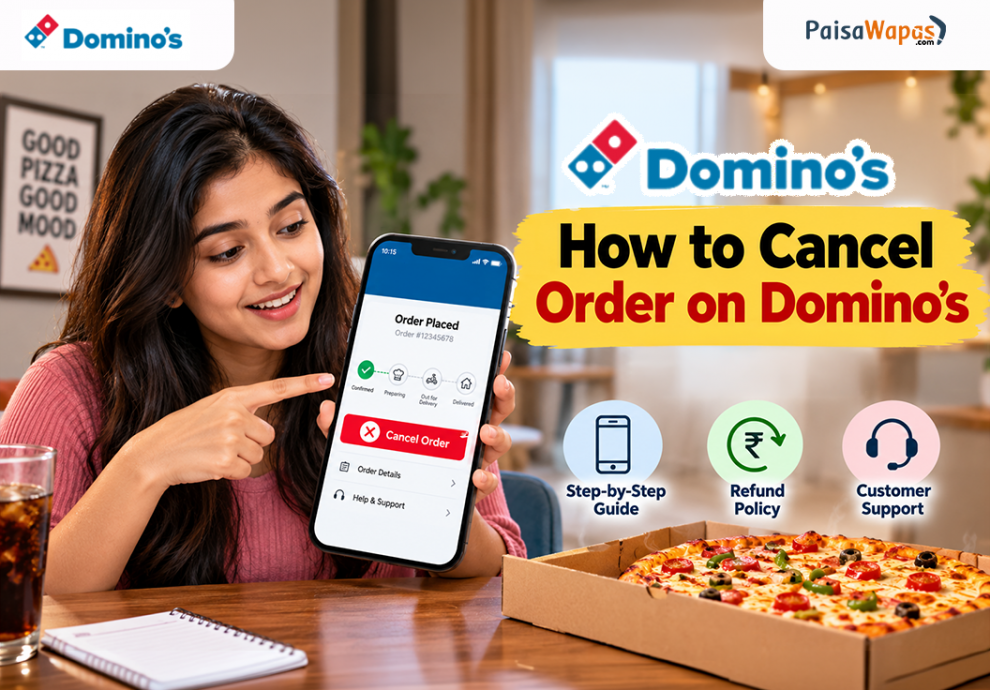
- Tap Cancel Order: If the option is available, select it and follow the on-screen instructions.
- Check the status: Confirm that the order has been cancelled successfully.
- Contact support if needed: If the cancellation option is missing, contact Domino’s and provide your order ID.
Domino’s states that customers can cancel eligible COD orders using the Cancel Order button on the order confirmation page. Self-cancellation is not available for orders placed through other sources.
How to Cancel a Domino’s Order Without Calling
If the cancellation option appears in your Domino’s app, you can use it without making a phone call.
However, if the button is missing or your order is ineligible, you may need to contact customer support through the available official channels. Sending an email is another option if you prefer written communication.
Domino’s Order Cancellation Policy in India
Domino’s India has specific rules for customer-initiated cancellations.
| Situation | Official policy |
|---|---|
| Payment method | Self-cancellation applies to eligible COD orders |
| Ordering channel | Orders must be placed through the Domino’s India app |
| Cancellation within 60 seconds | No cancellation charge |
| Cancellation after 60 seconds | COD may be disabled for your next order |
| Delivery executive reaches your location | Customer cancellation is no longer allowed |
| Delivery delay | Cancellation is free if delivery exceeds 60 minutes on regular days or 90 minutes during specified festivals |
These conditions apply subject to the official policy and participating store availability. The delivery-delay provision should not be interpreted as a guarantee that every order can be cancelled at any time.
How to Cancel Order on Zomato in 2026
Domino’s Refund Policy: How to Get Your Money Back
If you paid online, the cancellation process and refund eligibility may differ from those for COD orders.
Here is what to do:
- Check whether your order was cancelled or failed.
- Keep your order ID and payment confirmation ready.
- Contact Domino’s support and explain what happened.
- Ask whether your payment qualifies for a refund and how it will be processed.
- Monitor your original payment method or the relevant account.
Domino’s provides different refund timelines for different situations. For example, its official FAQ mentions 7–10 working days for an unsuccessful order where payment was deducted but no order details were received. Its loyalty programme terms also specify a 7–10-day timeline for certain prepaid amounts following cancellation.
These timelines are not a universal guarantee for every cancellation. Confirm the applicable timeline with support.
Domino’s Customer Care Number in India
If you cannot cancel your order or need help with a refund, contact Domino’s through its published support channels.
- Customer care number: 1800-208-1234
- Email: [email protected]
These contact details are published on Domino’s India’s official website. When contacting support, include your order ID, registered contact details, payment reference if applicable, and a short explanation of the issue.
Frequently Asked Questions
Q. Can I cancel a Domino’s order after placing it?
Yes, if your order meets the cancellation conditions. Self-cancellation is limited to eligible COD orders placed through the Domino’s India app.
Q. Can I cancel a Domino’s order without calling?
Yes. Use the Cancel Order button in the app if your order is eligible. Otherwise, contact support through an available official channel.
Q. Can I cancel a prepaid Domino’s order?
The standard self-cancellation option is restricted to eligible COD orders. Contact Domino’s support to ask about your prepaid order.
Q. How long does a Domino’s refund take?
The timeline depends on the reason for cancellation and payment type. Some official terms specify 7–10 working days for particular refund situations.
Q. What if Domino’s deducted money but my order failed?
Contact customer support with your payment reference and order details. Ask them to verify the transaction and confirm refund eligibility.
Final Steps to Cancel Your Domino’s Order
Check your order status immediately and use the app’s cancellation option if available. If you cannot cancel the order or need a refund, contact Domino’s through its official support channels and confirm the applicable policy before assuming a refund will be issued.



[…] How to Cancel Order on Domino’s 2026: Step-by-Step Guide & Refund Policy […]